7 Reasons to Consider a Home Gym

If you think of picking up better health habits and don't like crowded gyms, consider setting a home gym catered to your needs.

5 Top Picks for Christmas Holiday Like a Fairytale

If you imagine Christmas holiday this year being like a fairytale, you should consider visiting these hidden gems!

7 Fashion Accessories To Lift Up Your Style Quotient

Get heads up on the trendiest as well as classic fashion accessories that would elevate your style to another level.

Sensibo

Weighing the Pros and Cons of Cloud Technology!

Description : 

With the growing popularity of cloud computing, more and more companies including marketing in telecom sector are already utilizing this technology. They are now moving the functions of their businesses from on-site servers to the World Wide Web.

Weighing the Pros and Cons of Cloud Technology!

Cloud computing uses an internet-based service to perform their business processes. If you are thinking of joining the bandwagon and making the shift for your business, you might want to get to know the advantages and disadvantages of using the cloud.

Types of Cloud Computing

Before we break down the pros and cons, let us first get to know its various types. Generally, it is divided into three distinct categories.

1. Infrastructure-as-a-service. The vendor is the one providing the client with the software, servers, network equipment, and data center space. The client will then be billed based on the amount that they consumed. 

2. Platform-as-a-service. The operating system will be provided and managed by the vendor. This includes the database and all that is needed to run it. 

3. Software-as-a-service. The vendor will run the software so the business will not have to purchase a software license. The software will continually be updated behind the scenes. 

The Pros

- Cost reduction. Using cloud computing will reduce paperwork, minimize hardware investment, and lower transaction costs. This will also reduce the need for an on-site IT employee. 

- Scalability. Most cloud computing services will function just like that of water and electricity as you will only pay what you used. As your needs grow, you can just upgrade to more server space.

- Low payments. Small and medium-sized businesses are now able to use a sophisticated technology at a low cost. Such costs can even be further reduced if the IT resources of a company are shared with other companies. 

- Easy collaboration. Because files can be accessed anytime and anywhere when it is on the cloud, collaborating with employee from various services is possible. 

The Cons

- Availability. If the cloud service goes does down unexpectedly, employees will not be able to access their information until it gets fixed.

- Data mobility and ownership. If you decide to get out from the service, do you have any guarantees that you will get back all the data that you stored? 

- Privacy. How much of the data are collected by cloud service providers and how will it be used? 

Conclusion

It is important that businesses should first do their research before they make such a drastic decision of moving their important information to the cloud. They should first look into its advantages and disadvantages so that they can decide if this will be good for their business.


Here at THE OFFICIAL ANDREASCY we help entrepreneurs by giving them information on the newest technologies available, especially for small and medium-sized businesses. Get to know how you can grow your business by tuning in to our next post.

*by andreascy*


5 Great Apps for Business Presentations


Description :

Working for a business today may often mean you're going to have to handle some presentations. Whether you're doing one at a conference or with your co-workers, technology today has made presentations easier than ever. 

5 Great Apps for Business Presentations

For those who own any smartphone or tablet device, here are five apps that you may want to download to make presentations a lot easier:

1. Keynote

Keynote has constantly been rated as one of the best presentation apps on the market. Allowing you to implement your Microsoft PowerPoint presentations, Keynote gives you the power to edit and create your slideshows. On top of that, this app also features some great built-in templates, slide transitions and the ability to transfer PDFs.

If you're really into this app, also consider downloading another app that works with the software. Known as the Keynote Remote, this app will turn your smart phone or tablet into a remote. That way, when you're walking around or presenting, you can flip between slides with a push of a button.

2. QuickOffice (Discontinued)

Similar to Microsoft Office, QuickOffice gives you the power to not only create presentations but word processing and spreadsheets documents. Equipped with a powerful presentation app, you will be able to do everything you could on your computer. The best thing about this app is that you're able to present your slideshow using a VGA output.

3. Prompster

Prompster is a little different from the apps mentioned above. Instead of showing a slideshow to the crowd, this app will turn into a teleprompter. That way, you will know exactly what you will have to say to get your message across. Before your presentation, you can add audio, words and categories. You can also transfer .txt files to your device if you already have the notes ready. With this app, you will no longer have to worry about bringing along messy flashcards or notes.

4. Penultimate

Penultimate is an awesome app for those who are going to present to a smaller crowd. Allowing you to write notes, you can get your message across when you talk. Hook up your tablet or smart phone to a larger screen so that the viewers in the room can see your ideas on paper. After the notes have been taken, Penultimate allows you to save them for a future date. Once they have been saved, you can convert them into an easy to read PDF.

5. Presenter Pro

No matter how often you speak in front of crowds, there's a good chance that you're going to feel nervous. This is only nature. With Presenter Pro, this app is going to make you a better speaker. It will include practice exercises, simple tips and references to help you become a better speaker. Watch videos, learn new words and even learn the art of gestures. With hundreds of exercises, this is the perfect app for those who want to go from a rookie to a pro.

Like what you see? Share it with your world. 😘

*by andreascy*

PointGrab: The Start-up Bringing Gesture Recognition to Windows 8 Devices

Description :

PointGrab announced recently that its pioneering hand gesture recognition software is now available for Microsoft Windows 8 in Beta version. The new software provides a Natural User Interface (NUI) hand gesture solution, which enhances the user experience with an easy-to-use, intuitive no-touch interface.

PointGrab: The Start-up Bringing Gesture Recognition to Windows 8 Devices

PointGrab’s Windows 8 solution will build upon the company’s successful Windows 7 product that has been adopted by top global consumer electronic brands. This news follows immediately on the heels of PointGrab revealing that their “Gesture Control” capabilities are being demonstrated in several models of the new line of Intel-inspired Ultrabook™ devices, as well as Haier’s All-in-One (AIO) Q8 PCs.

The newest version of PointGrab’s software works in synergy with the Metro UI in Windows 8, which was designed especially for use with gestures. PointGrab’s software was built from the bottom up in order to enrich the user experience by adding numerous “touch-less” hand gestures, which are detected by the PC’s internal 2-D camera.

PointGrab: The Start-up Bringing Gesture Recognition to Windows 8 Devices

Today, PointGrab has the largest assortment of commercial gestures for 2-D cameras, both for one and two hands. These gestures can be customized to the client’s requirements, and include swipe, select, one-hand zoom, thumbs-up, fist and many more.

PointGrab’s hand gesture solution for Windows 8 expands the company’s successful product line beyond the commercially available PC and TV solutions and further enhances its leadership in gesture software for 2D camera devices. PointGrab’s software is available for devices running either Intel or ARM-based processors.

PointGrab CEO Haim Perski added : 

“We are proud to announce this new software for gesture control of Windows 8. By detecting both the shape and motion of the hand, PointGrab provides full Windows 8 Metro functionality without having to physically touch the screen. Additionally, shortcut gestures have been incorporated, making it easier and more intuitive for users to work with the Metro UI. This software furthers PointGrab’s leadership of the hand gesture control market for PCs and adds to our advanced capabilities in providing users with a Natural User Interface.”


You might be interested in other Touch-Free topics:

Camitool Automatic Touch-Free Toilet Paper Dispenser

Introducing Leap Motion Technology: Say Goodbye to Your Mouse and Keyboard

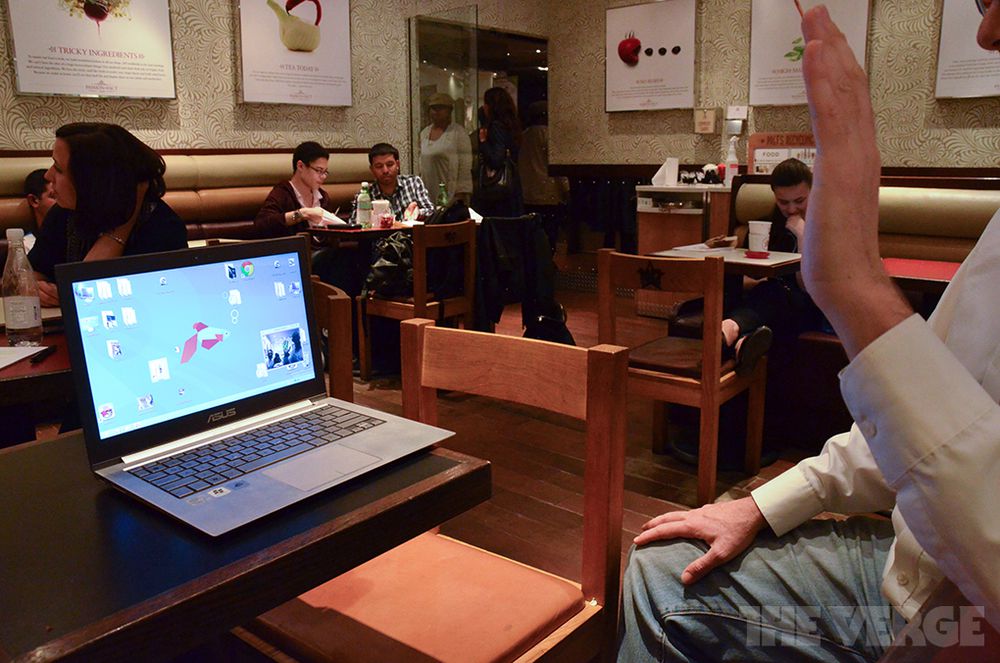
Spread the love. 😎

*by andreascy*

Hyperspectral Imaging at Imec


Description :

Imec is working on a hyperspectral imaging module that enables fast, compact, and low-cost hyperspectral imaging. 


The target applications are machine vision, security, and medical devices. A hyperspectral camera forms a spectral fingerprint of objects. It does so by capturing light in many small wavelength bands.


Such a spectral fingerprint contains detailed information about the object, e.g. about the materials contained in it, or about its state. 


Hyperspectral cameras were first used in geology studies, e.g. to detect oil deposits. 


Today's setups for hyperspectral analysis are bulky, complex, and expensive machines for use in laboratories. But many "in the field" applications would profit from a lightweight, compact and robust camera. 


Think of cameras to inspect crops, or machines to sort food. And a microsized camera would enable a whole new class of applications. Imagine, for example, that you would have a small pen to check your skin for melanoma. 


Read also :

Beat Intel, Get your 14nm Process Development Kit Now

If you like our topic then kindly share it with your friends. Subscribe on our feeds and let us know what you think. Don't miss some of the latest news including our Tech Magazine and Newspaper and our Trending Tweets.

*by andreascy*

Ocular's Future of Touch Presentation at 2012 SID Display Week

Description :

Ocular LCD: A Different Philosophy... A Different Kind of Company


Ocular LCD, Inc. headquartered in Dallas, Texas, is a leading supplier of touch panels and display products to the embedded technology industry. Ocular’s innovative technologies enable equipment manufacturers to quickly bring to market product solutions with leading-edge, touch-enabled display capabilities.


In addition to its products, extensive technical knowledge and 25 years of experience allows Ocular to work closely with manufacturers to design display capabilities that meet the unique requirements of their applications, including the demands of extreme environments. 


Ocular has a rich history of innovation and this spirit is part of the Ocular culture and continues today with the development of many patented solutions in touch panel technology, LCD displays and display system ruggedization techniques.


Today we' ll present to you the third annual Future of Touch and Interactivity Conference that took place on June 7th, 2012 as part of The Society for Information Display (SID) Display Week in Boston. Industry leaders were invited to discuss how touch and interactive solutions are shaping the display industry. 


David Nolte, Senior Vice President of Engineering at Ocular, presented during Session 1: The Future of Touch on the topic of projected capacitive touch panels and how they have advanced with larger sizes and simpler structures.


Read also :

Touch screen technology : How it works

*by andreascy*

Health IT Security : User Experience, Compliance, and Risk


Description :

Security breaches averaged more than $5.2 million per event in 2011. 


Implementing a proactive, preventative approach to privacy and security is a practical strategy that healthcare organizations can use to manage risk. 


In this video, David Houlding, Healthcare Privacy & Security Lead Architect at Intel, and Nancy Vuckovic, Senior Health Researcher, Health Strategies and Solutions at Intel, review how cumbersome security solutions often get in the way of healthcare workers and drive them to use technology in non-secure ways. 


Hear everyday examples of how clinicians use technology in ways that are not authorized and how to mitigate those risks.


Read an accompanying blog and white paper at :

http://intel.ly/gDqoJg

You like our topics? Then subscribe for feed updates straight to your inbox or favourite feed reader. Looking forward to hear your suggestions! Check also our latest topics and do not hesitate to contact us if you need our help.

*by andreascy*

Shedding Light on Code Clones in Software Development

Description : 

In this talk, Dongmei Zhang, Research Manager from Microsoft Research Asia, will discuss the Code Clone analysis techniques that Microsoft Research has created to help Developers find similar code. 


This aids in Software Development, helping to isolate bugs and working to reduce code "bloat" as more and more code is copied and grouped together. These techniques are scalable and work efficiently and effectively on large-scale code bases. 


Learn more here

Discover also other related topics to Microsoft Research and let us know what you think on the comments section. 

*by andreascy*

WIndows 8 will be much more secured than Windows 7


Description :

Researchers Chris Valasek (Senior Security Researcher at Coverity) and Tarjei Mandt (senior vulnerability researcher at Azimuth Security) spend their days seeking ways to compromise security in Windows. They're good guys; if they find a problem they report it, rather than exploiting it for illicit gain. At the Black Hat conference they reported on their analysis of new low-level security features in Windows 8. 


The precise details of what they discovered were barely within the realm of my comprehension. Apparently many doubly-linked lists within Windows 8 are now protected by "pool cookies." To avoid exploits that involve forcing arbitrary code or data into places it doesn't belong, Windows 8 randomizes locations for memory allocation and adds "guard pages" as needed. That sort of thing.


In between slides filled with code and intense details, Valasek and Mandt displayed a couple that anybody could understand. The column for Windows Vista was all red, meaning not secure. Windows 7 was close, with just a few green checkmarks. And of course Windows 8 displayed a column of solid green checkmarks. Expert or not, we know that green is good. 


Whether secure or not just hope we do not see this message often while using Windows 8. Comment and let us know what do you think about this article.

*by andreascy*

Nexus 7 Giveaway


Description : 

Here is another giveaway androidadvices.com are giving away a brand new Google Nexus 7! 


This is the fourth week of the giveaway (it will run for 5 weeks) and it includes simple tasks like liking and commenting on a video,etc. Owning a Nexus 7 could not get any easier, so what are you waiting for ? 


Update : The giveaway has ended and we now have the results of the giveaway mentioned below in the video. You can check out the Winner Selection and Congratulate them. 


Keep yourself updated by subscribing on our RSS feed and Newsletter. Follow us also on Facebook and Twitter for even more.

*by andreascy*

Mac OS Gets Targeted Again With Clever New Trojan

Description :

Mac OS X attacked by new Clever Trojan named OSX/Crisis. A new Mac OS threat is discovered which is capable of infecting OS X 10.6 “Snow Leopard” and OS X 10.7 “Lion” systems without requiring a password, or any user interaction. 

Mac OS Gets Targeted Again With Clever New Trojan

Andrew, director of security operations for nCircle, declared, “Mac malware is no joke. Despite Apple’s marketing hype about security, it should be obvious to everyone that their devices are susceptible to malware. Earlier this year the Flashback Trojan infected hundreds of thousands of Macs. The new OSX/Crisis malware is another Apple wake up call.”

All naive Mac users should wake up as their days of security by obscurity are over. Apple's so-called self proclaimed "world's most advance operating system" is getting attacked more often recently. It may be a good marketing strategy but Apple needs to step up and offer users practical, effective security support.


Come and Subscribe to our Newsletter!

*by andreascy*

CNETTV : Panasonic's $30 Retro Headphones Rock!


Description :

With so many similarly spec'd headphones out there, sometimes it boils down to looks. 


With RP-HTX7s, Panasonic gave things a vintage twist. 


Check the old-school perforated leather headband, the generous cans connected to piano-wire sliders, and the muted beige and white colors, contrasting with the big, puffy black ear cushions. Classic looks in a plastic age.


These headphones boast a neodymium magnet and large-diameter 40mm driver units, ready to pump out the kind of crystal-clear highs, present mids, and hefty low-end you'd find with more premium price tags. A generous four-foot cord is suitable for home or portable use, and an ergonomic design and relatively light weight mean they're ready for long listening sessions.


These are built to last too, with tough dome housing to handle outdoor uses, and a gold-plated connector to resist corrosion and help ensure great sound. Check out their basic specs >>

RP-HTX7 Specifications :

- Drive Unit Diameter : 40mm

- Sensitivity : 99dB

- Maxium Input : 1000

- Frequency Response : 7 Hz - 22 kHz

- Cord Length : 3.9 feet/1.2 meters

- In-cord Volume : No

- 3.5mm Miniplug : Yes

- Air Plug Adaptor : No

- Plug : Gold

- Weight : 0.43 lbs

More on the video below!


Discover more interesting videos by CNETTV

Don't miss trending news and tweets for today including big stories and other exclusives on our Tech Magazine and Newspaper. Until next time see you around and take care! Thank you for your support and your trust!

*by andreascy*

7 Golden Rules for your next Website Redesign

Description : 

Lots of businesses will eventually reach a point where they require a website redesign. Whatever the reason for this decision, this is going to be a big commitment for your business to make and you will want to make the most of the opportunity to grow. 


Throughout this post, we are going to be looking at the 7 Golden Rules of your next Website Redesign, including strategies behind designing a site which has a positive effect not only on your brand awareness but on your social media, e-mail marketing, lead generation and sales strategies.

Your Data and Goals 

The first key rule when redesigning a new website is to document the performance metrics from your current Website. These performance metrics should include the number of monthly visitors, what your keyword rankings are and number of leads generated from your site for example. The more information you can obtain, the better this will be for future analysis. With this data on hand, you are then able to determine the goals for your new Website. Here, you should be looking at proposed goals for your new site based on data obtained from the current site. 

Beat the Competition 

As well as understanding your own websites metrics, you should also know how well your competitors are performing. Search for a Marketing Grader on Google which will allow you to see what your competitors are doing well, and where they are under-performing. We are not saying you should copy what they are doing, but use this as motivation to find gaps in their website which you can capitalize on. 

Content Writing Persona

Your business persona should come across in the content you are writing for your new website. The best way to do this is by being human; be yourself in your style of writing and don’t use too much technical jargon - feel free to tell a story. This isn’t the only consideration you should take when writing content, you also need to consider the personas of your site visitors. Think about who will be visiting your site and what they are going to want from the interaction and alter your writing style to suit. This should make up part of your Content Strategy . 

Search Optimized

If nobody is visiting your new website then you’ll never reach the goals outlined earlier, so it is important for your site to get found online. The first thing to do is to set up a 301 Redirect from the most popular pages on your current site, which will ensure you are retaining traffic and therefore search rankings The next step is to use your keyword research and target these keywords on specific pages using ‘Keyword Strategies’. 

Calls-To-Action

These are elements on your site that drive visitors to take an action that you want them to take. This could be directing them onto a page to download an article, to get in touch with you or to simply leave their e-mail address. Your website should be a channel where customers can engage more with your brand and you should therefore have a number of elements on your site to allow them to do this. 

Your Content Strategy

As a rule of thumb, the more content that you can produce for your site, the more visitors you will receive and the faster your business will therefore grow. The best way to do this is to produce a blog where you can post an on-going flow of great content. Here, you should look to write 10-20 posts per week ranging from 250 to 750 words. If you do not have the resource available to product this much original content, you can look to outsource a proportion of this. 

A Final Thought

Once you have your Blog set up, it is important to write posts related to your industry, as this will target the type of visitors your business wants. You should also link your new site with Google Analytics to track your progress versus your goals. Finally, you should make sure that your site is shareable by including social media buttons and links to your Social Accounts

Remember that ‘form follows function’ - Don’t get dragged into worrying about how the website looks before investigating and planning how the site will perform. Don’t just make a shop window for your business, its integration with social media, email marketing and lead generation are critical to the growth of your business. Following the above golden rules for your next website redesign should ensure your Website is a Success.

If you liked our article then kindly share it with your friends. Discover more and subscribe on our RSS feed for future updates straight to your inbox.

*by andreascy*

CNETTV: The BlackBerry Curve 9310 is Simple and Sleek - First Look

Description :

The BlackBerry Curve 9310 is a slim and easy-to-use smartphone ready to help customers make the move from a basic phone to a smartphone. It includes all the core BlackBerry messaging and social-centric applications that let customers easily connect to the people and things that matter most to them.
 
CNETTV: The BlackBerry Curve 9310 is Simple and Sleek - First Look

Running on BlackBerry 7.1, the Curve 9310 also features the iconic BlackBerry keyboard for quick and easy typing and a dedicated BBM key for instant access to RIM's popular mobile social network.

CNETTV: The BlackBerry Curve 9310 is Simple and Sleek - First Look

Facebook and Twitter apps allow customers to easily interact with their social network in real time, and, with the new Social Feeds 2.0 app, they can post updates to multiple social networks simultaneously and capture updates from news sources (RSS feeds), social apps and instant messaging apps, all in one consolidated view. 

Additional Features:

- 3.2-megapixel camera - easily share pictures and video with friends through text, BBM, Facebook and Twitter

- VZ Navigator capabilities for customers to receive audible turn-by-turn directions to millions of points of interest and share directions with others

- On-device Parental Controls - customers can grant as little or as much access to the Internet, social networking and messaging as they see appropriate. Create a select list of contacts for both incoming and outgoing calls

- microSD card slot with support for up to 32 GB


Find more info on PC Mag and Engadget.

READ ALSO: 5 BlackBerry Tools for Your Business

Keep visiting us my friends! 😎

*by andreascy*

Microchip Technology MCP3911 (High Accuracy Energy Measurement)


Description :

The MCP3911 is a 2.7V to 3.6V dual channel Analog Front End (AFE) containing two synchronous sampling Delta-Sigma Analog-to-Digital Converters (ADC), two PGAs, phase delay compensation block, internal voltage reference, modulator output block, and highspeed 20 MHz SPI compatible serial interface. 


The MCP3911 is capable of interfacing a large variety of voltage and current sensors including shunts, current transformers, Rogowski coils and Hall effect sensors.


The video below presents a brief introduction to the MCP3911 Analog Front-End and reviews the MCP3911 ADC Evaluation Board for 16-bit MCUs for high accuracy energy measurement and data acquisition applications.


Learn more at Microchip. Please share this article with your social circles and show your support. If you want to get future updates to your email inbox or feed reader then kindly subscribe on our RSS feed and Newsletter. Do not miss also our trending news and tweets for today!

*by andreascy*

A Common Cause of Failure to Connect Atmel Studio 6 to Hardware

Description :

Atmel® Studio 6 is the integrated development environment (IDE) for developing and debugging Atmel ARM® Cortex™-M and Atmel AVR® microcontroller (MCU) based applications. 


The Atmel Studio 6 IDE gives you a seamless and easy-to-use environment to write, build and debug your applications written in C/C++ or assembly code. 


Today we are going to look at some of the causes of common communication failure between Atmel Studio 6 and some of the Atmel development tools. 

Demonstrated on a JTAGICE 3 and the XMEGA-A3BU.


Read also :

Atmel XSence Touch Sensors : Super Flexible screens

*by andreascy*

Microsoft Research : Natural User Interface (NUI) - Pervasive Computing Is on Its Way


Description :

In the 40 years since the introduction of the mouse, computing input has remained much the same : it's you, the mouse, the keyboard, and the screen


But all that is undergoing a sea change, as researchers like Patrick Baudisch of the Hasso Plattner Institute and Shahram Izadi of Microsoft Research Cambridge push the boundaries of Natural User Interface (NUI)


In this interview during the Microsoft Research Faculty Summit 2012, Patrick and Shahram, along with Microsoft Research's Stewart Tansley, discuss developments in NUI and their thoughts about a future of ubiquitous computer-human interactions. 


Discover also other interesting Microsoft Research and NUI related topics and let us know what you think. Subscribe on our RSS feed for more.

*by andreascy*

CNETTV :Top 5 Reasons Not to Buy A Nexus 7

Description :

Google launched Android 4.1 on the Asus-developed (but Google branded) Nexus 7 in part to reassure OEMs that they will be treated equally in the aftermath of its Motorola Mobility purchase. Google's Nexus 7 is the hottest tablet on CNET right now, but it's not perfect. 


Maybe Google really did spend $12 plus billion for the Motorola patents, but users are still awaiting the more full featured iPad2 killer from Google. Here are the Top 5 reasons you should pass and perhaps to wait for something better.


Read also :

Nexus 7? Wait : Google's Motorola Xoom + Jelly Bean is coming soon

More interesting videos by CNETTV at :

http://officialandreascy.blogspot.com/search/label/CNETTV

*by andreascy*

CNETTV : The Latest iPhone 5 Rumors - Inside Scoop


Description :

CNET tracks all the iPhone 5 rumors - from the likely to the crazy - that we've heard so far in 2011 and 2012.


On the video, CNET Reviews editor Kent German, sits down with Sumi Das to talk about the most recent chatter regarding the iPhone 5


Stay updated by following iPhone 5 Rumor roundup

Check out more interesting videos and exclusives by CNETTV and comment below your thoughts. Send us your suggestions - Share this topic with your friends. Help us to spread our voice. Thank you for passing by.

*by andreascy*

Swumanoid Swimming Android Robot From Tokyo Tech Will Help Athletes Swim Faster

Description :

DigInfoTV presented Swumanoid, a humanoid robot developed by the Nakashima Group at the Tokyo Institute of Technology, that replicates the motion of a swimmer. In the future, this robot is expected to help researchers analyze how people can swim faster, and develop speed enhancing swimming apparel.

Swumanoid Swimming Android Robot From Tokyo Tech Will Help Athletes Swim Faster

"In research on swimming, one problem is, it's hard to know how much propulsive force the hands create during a stroke. There have been attempts to measure such things using actual swimmers, but it's hard to attach sensors to the hands of an actual swimmer. Also, a person can't repeat exactly the same movement many times."

Swumanoid Swimming Android Robot From Tokyo Tech Will Help Athletes Swim Faster

For Swumanoid, a 3D body scanner was used to measure the body of a competitive swimmer, and reproduce it at half-scale. The complex swimming motions of a person are reproduced using 20 computer-controlled waterproof motors.

Swumanoid Swimming Android Robot From Tokyo Tech Will Help Athletes Swim Faster

"When a swimmer moves, the motion of the shoulders is quite large. Ordinary humanoid robots aren't designed for such large motions, so to replicate the big movements in a crawl stroke, we've installed special joints in the shoulders of Swumanoid."

Swumanoid Swimming Android Robot From Tokyo Tech Will Help Athletes Swim Faster

The robot overall has a special-purpose drive using four struts, and the force the robot receives from the water can be measured. Because the robot is currently at the prototype stage, its swimming speed, corrected for size, is 0.64 m/s or approximately three times slower than the current world record for the 100m freestyle. From now on, the researchers are planning improvements to make it faster.

Swumanoid Swimming Android Robot From Tokyo Tech Will Help Athletes Swim Faster

"Swumanoid can already do the butterfly and backstroke. The breaststroke involves a different leg motion, so it can't be done with the robot's current legs. But we are developing legs to enable Swumanoid to do the breaststroke."

Swumanoid Swimming Android Robot From Tokyo Tech Will Help Athletes Swim Faster

"Currently, the robot doesn't always swim as it's instructed. So we'd like to enable it to swim freely. Humanoid robots can already walk and run, but if we have a robot that truly swims, it could be used not just for sports research, but also for rescuing people in the water."


Check also some other robot-related posts.

Subscribe to our Newsletter for news you won't find anywhere else✉  ⇢ 📰

*by andreascy*

🦾 Stay Motivated

👩🏻‍🚀 Artemis II Crew: From Friends to Family

▶️ Just Press Play

We all have days like this

[image or embed]

— Chris Paxton (@cpaxton.bsky.social) April 17, 2026 at 1:51 PM

⭐ Leading ShipYard's Leaderboard

🚩 Milestone Unlocked!

🏅 Win-Win