7 Reasons to Consider a Home Gym

If you think of picking up better health habits and don't like crowded gyms, consider setting a home gym catered to your needs.

5 Top Picks for Christmas Holiday Like a Fairytale

If you imagine Christmas holiday this year being like a fairytale, you should consider visiting these hidden gems!

7 Fashion Accessories To Lift Up Your Style Quotient

Get heads up on the trendiest as well as classic fashion accessories that would elevate your style to another level.

Pages

▼
Showing posts with label Skydrive. Show all posts

Office Webinar - How To Present And Share Docs On The Go

Description : 

Hello fellow Office user! Remember the good old days of Windows XP and Microsoft Office 2003? Back then, the usual routine of handling word documents, PowerPoint presentations, and CSV reports was very inefficient and hard to track. 

Collaboration and real time document management was considered theoretically impossible and enterprises had to spend a lot of time, effort, and man hours in creating and managing office documents.

Office Webinar - How To Present And Share Docs On The Go

Software improvement and technology has completely changed all this. Businesses or enterprises these days are more dependent on cloud office suites for managing document or spreadsheets, largely because of two reasons:

1. A cloud based office suite is completely flexible in terms of sharing and management: You don’t have to worry about storage and neither you have to worry about loss of data. All the documents are stored in your web account and can be accessed from any computer or mobile device, as long as it is connected to the Internet. 

2. The communication barrier is largely reduced, thanks to the built in sharing and collaborative features: No back and forth emailing, no attachment handling, just a few clicks and your document can be shared with a group of people or collaborators. 

What else? Of course...Emergencies happen too! For example you have a meeting and you can't get in person, but you have some internet access. Well, you can still use Office to be an active part of it.

Office Webinar - How To Present And Share Docs On The Go

Today we'll show you on this webinar - broadcast how to present and share your docs from a coffee shop when you can't make that meeting. We'll show you tools in Office for remotely presenting a PowerPoint deck, sharing documents, and connecting with others while you're on the go.

So, what's your experience with Office? What did you find out that you like? A new tool? A shortcut? Leave a comment in the comments below. We’ll tell you our favorites too. 

Don't forget to tweet this post if you like it, or follow us on twitter if you find us interesting. Also, if you need some advice we'd love to help.

Until next time peace and blessings! Thank you for your support! 😊

*by andreascy*

Office Webinar : How SkyDrive works with Office


Description : 

Store any file on your SkyDrive and it's automatically available on your PCs, Macs, and Mobile devices. 


In this week's webinar, we'll show you how to work with your Office documents and share them in your own private cloud. 


Get the references and links for this Office 15-Minute Webinar at http://aka.ms/sky123.


Check also our Office Webinars E-Book. Comment below your experience with Skydrive and share our post with your friends. Follow us also on Facebook and Twitter for even more.

*by andreascy*

Office Webinar : Office on a Windows Phone

Description :

What's up guys? 

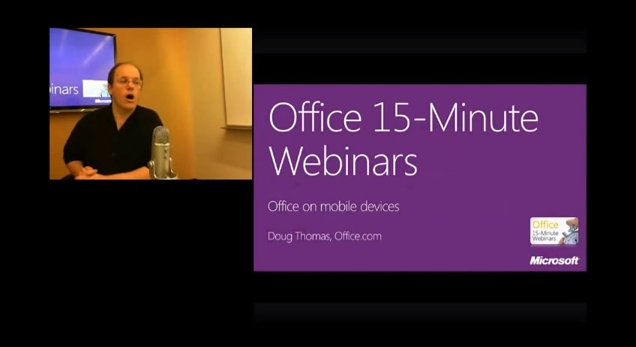
In this week's webinar, you'll learn how to edit and view your Office documents on a Windows Phone, and how OneNote and documents stored on SkyDrive work on other mobile devices.

Office Webinar : Office on a Windows Phone

Doug Thomas hosts these free Office 15-Minute Webinars from the Office.com help writers. See how to watch these webinars live and participate in a Q&A session.


Get all the references and links here. Got a tip? Let us know.

*by andreascy*

Office Webinar : Our favorite Office timesavers

Description :

In this week's webinar, author and popular blogger Jen Singer (Momma Said.net) joins us to share some of her favorite Office timesavers. Plus, you'll learn more of them from the Help writers at Office.com who use every day. Learn more about these subjects at : 


This is a recording of an Office 15-Minute Webinar. Doug Thomas hosts these free how-to tidbits from the Office.com help writers. See how to watch these webinars live and participate in a Q&A session : http://aka.ms/offweb.


Check also other Office Webinars on :


*by andreascy*