7 Reasons to Consider a Home Gym

If you think of picking up better health habits and don't like crowded gyms, consider setting a home gym catered to your needs.

5 Top Picks for Christmas Holiday Like a Fairytale

If you imagine Christmas holiday this year being like a fairytale, you should consider visiting these hidden gems!

7 Fashion Accessories To Lift Up Your Style Quotient

Get heads up on the trendiest as well as classic fashion accessories that would elevate your style to another level.

Sensibo

Showing posts sorted by relevance for query microsoft research. Sort by date Show all posts

Microsoft Research : Natural User Interface (NUI) - Pervasive Computing Is on Its Way


Description :

In the 40 years since the introduction of the mouse, computing input has remained much the same : it's you, the mouse, the keyboard, and the screen. 


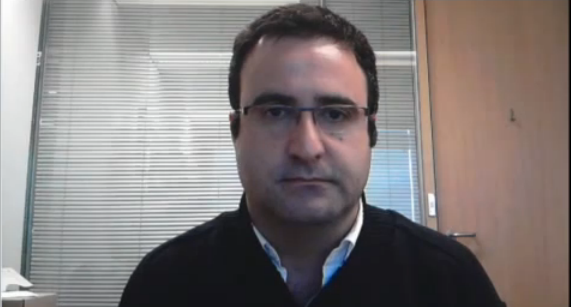
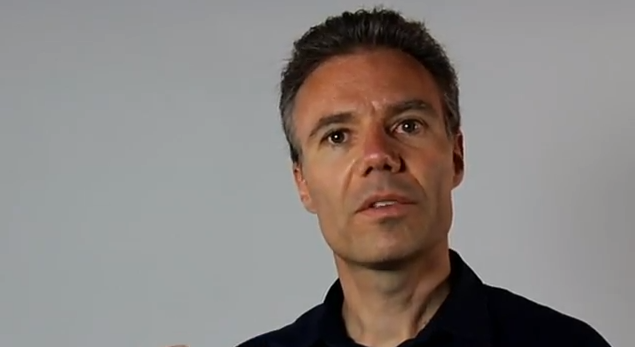
But all that is undergoing a sea change, as researchers like Patrick Baudisch of the Hasso Plattner Institute and Shahram Izadi of Microsoft Research Cambridge push the boundaries of Natural User Interface (NUI). 


In this interview during the Microsoft Research Faculty Summit 2012, Patrick and Shahram, along with Microsoft Research's Stewart Tansley, discuss developments in NUI and their thoughts about a future of ubiquitous computer-human interactions. 


Discover also other interesting Microsoft Research and NUI related topics and let us know what you think. Subscribe on our RSS feed for more.

*by andreascy*

Microsoft Research: Pen-and-Touch Interaction for Touch-Screen Displays of All Sizes

Description : 

This video shows a demonstration of in-place commands that work on direct touch displays.

Microsoft Research: Pen-and-Touch Interaction for Touch-Screen Displays of All Sizes

Michel Pahud walks through some in-place command work done at Microsoft Research including pen and touch with toolglass bimanual techniques. In-place commands are menus that appear next to the finger. 

Microsoft Research: Pen-and-Touch Interaction for Touch-Screen Displays of All Sizes

They can work on small displays like slate, but also on very large displays so the user doesn't have to reach for the menu.


Please send your comments and suggestions and also share your ideas with us. Keep updating yourself by following us on Twitter. 

*by andreascy*

Microsoft Research : KinÊtre at SIGGRAPH 2012 - A Novel Way To Bring Computer Animations To Life


Description :

Imagine you are asked to produce a 3D animation of a demonic armchair terrorizing an innocent desk lamp. You may think about model rigging, skeleton deformation, and keyframing.   


Depending on your experience, you might imagine hours to days at the controls of Maya or Blender. But even if you have absolutely no computer Graphics experience, it can be so much easier : grab a nearby chair and desk lamp, scan them using a consumer depth camera, and use the same camera to track your body, aligning your virtual limbs to the chair’s geometry. 


At one spoken command, your limbs are attached to the chair model, which follows your movements in an intuitive and natural manner. 


KinÊtre is such a system. A research project from Microsoft Research Cambridge that allows novice users to scan physical objects and bring them to life in seconds by using their own bodies to animate them. 


Rather than targeting professional animators, it brings animation to a new audience of users with little or no CG experience. It allows realistic deformations of arbitrary static meshes, runs in real time on consumer hardware, and uses the human body for input in conjunction with simple voice commands. 


KinÊtre lets anyone create playful 3D animations.This system has a multitude of potential uses for interactive storytelling, physical gaming, or more immersive communications.


If you liked this topic feel free to discover more interesting stories from Microsoft Research.

Comment below and feel free to support us by sharing this post with your friends. Subscribe on our RSS feed news and Daily Newsletter for even more updates sent directly to your email inbox. Do not miss also our Social Front Page and our Newspaper for today! Thank you for visiting us!

*by andreascy*

Shedding Light on Code Clones in Software Development

Description : 

In this talk, Dongmei Zhang, Research Manager from Microsoft Research Asia, will discuss the Code Clone analysis techniques that Microsoft Research has created to help Developers find similar code. 


This aids in Software Development, helping to isolate bugs and working to reduce code "bloat" as more and more code is copied and grouped together. These techniques are scalable and work efficiently and effectively on large-scale code bases. 


Learn more here. 

Discover also other related topics to Microsoft Research and let us know what you think on the comments section. 

*by andreascy*

Microsoft Research : Interactive Displays - High Performance with lower latency Touch Screens


Description :

Microsoft is researching ways to reduce touch-screen lag down to single millisecond, a hundred times less than current touch-screen systems. Paul Dietz of Microsoft's Applied Science group fronted a video explaining the software giant's research into so-called "high-performance touch".


"Currently touch systems have about a hundred millisecond delay between when you touch and when the image actually changes," said Dietz, adding that a touch gesture of one meter per second would see a trail 10cm behind.


Dietz reckons that the delay breaks the UI analogy of moving a physical object because the object is so far behind. To get to the bottom of the effect of latency, Microsoft knocked up test rig where they could change the latency to see how it felt to the user.


After demonstrating a 1ms delay, Dietz said : "If you were playing with the real set-up, you would notice a real perceptual cliff and that this really starts to feel like a physical object."


Rather than suggesting that 1ms latency on touch-screen displays is just around the corner, Dietz called 1ms a "bar for where we'd like to head over the next decade."


Discover other interesting topics from Microsoft Research and show your support by sharing this article  with your social circles.

*by andreascy*

Microsoft Research : Interactive Displays - Applied Sciences Group (ASG) explores a see through 3D desktop


Description :

Presented at Microsoft TechForum 2012 : In the first of two demonstrations given at TechForum by the Applied Sciences Team, this is a project that is looking at what’s possible with a Samsung transparent OLED screen, Kinect sensors and some software magic. 


What you get is the ability to manipulate objects that lie behind the transparent screen - as well as objects on the screen with something called “view-dependent, depth-corrected gaze”.


After spending any time with Stevie Bathiche and his team you get used to such terminology. Much of the team's work explores the use of Kinect for tracking your eyes and delivering an image back to them that tracks your movements and gives depth and perspective.

The effect in this demo is you have a digital desktop that has depth allowing you to virtually place objects in space behind the screen, while also enabling the manipulation of objects on the screen from behind.


As with many of these types of demos, the video does a far better job of showing you what is going on than my words can. It’s another example of how the boundaries between physical and digital worlds are blurring.


We hope you liked our article. Feel free to comment below and let us know your thoughts. Discover other interesting presentations and research studies from Microsoft Research and don't forget to share it with your friends.

*by andreascy*

Microsoft Research : Automated Intelligence in Your Daily Life


Description : 

Over the last decade, technical and infrastructural developments have created a nurturing environment for developing applications of machine learning and reasoning - and for harnessing automated intelligence to assist people in the course of their daily lives.


Microsoft researchers continue to push the state of the art in applying machine intelligence to the daily lives of people through research in algorithms and technologies to discover knowledge from large-scale data. By building software that automatically learns from data, the goal is to enable applications to behave more intelligently and enable users to become more productive.


Read also other interesting stories from Microsoft Research. Share this topic with your social circles and subscribe on our RSS feed to stay updated with out latest news!

*by andreascy*

Microsoft Research : Crunching Big Data


Description :

Distributed Computing has been a key focus for the Silicon Valley lab since its inception, Mihai Budiu, Researcher at Microsoft Silicon Valley talks about the importance of this work, especially when dealing with massive amounts of data that new cloud computing scenarios must handle. 


Examples of how Microsoft is using Dryad technologies developed in the lab to deliver better customer experiences thru Bing, Kinect and the Hotmail product teams amongst others, provide an insightful perspective on how Microsoft research efforts assist in delivering immersive technologies customers use every day.


Subscribe on our RSS feed for future updates and for more content sent straight to your inbox. Don't miss also Trending Tech News and Tweets for today, including our Daily Magazine and Newspaper as well our Social Front Page. 

*by andreascy*

Microsoft Research : Embrace Computing


Description :

Six groups (teams Babbage, Boole, Gödel, Turing, Shannon, and Simon), composed of Microsoft Research computer scientists and their colleagues from other research organizations, reflected separately about the past 20 years and the future to come, in the context of providing advice to young scientists. 


Afterwards, participants came together to listen to briefings about the discussions from the chairs of each team. More on the video below :


"Tom Daniel, Komen Endowed Chair of Biology, University of Washington"

If you like this topic then kindly share it with your friends and let us know what you think. Discover more by subscribing on our RSS feed and our Newsletter and by checking out some of the latest Big News and other interesting stories around the world. Do not miss also our Social Front Page!

*by andreascy*

Microsoft: The Kinect Accelerator

Description :

Ten Startups. Three Months. Unlimited Innovation. 

If you are a developer or existing team/startup focused on building a business that takes advantage of the Kinect and Natural User Interface technologies, then the Kinect Accelerator is where you need to be. Through this program, Microsoft is supporting entrepreneurs, engineers and innovators like you to bring to life a wide range of business ideas that leverage the limitless possibilities Kinect enables. 

Microsoft: The Kinect Accelerator

Following a competitive screening process, ten finalists will be chosen for this unique three month incubation program running from April 2 - June 28, 2012 in Seattle, WA. The Kinect Accelerator is “powered by TechStars” using the same mentor-driven methodology pioneered and proven in New York, Boulder, Seattle and Boston. Mentors for the Kinect Accelerator include a broad base of entrepreneurs and venture capitalists in the industry as well as executives from Microsoft Studios, Xbox, Kinect for Windows, Microsoft Research and other Microsoft organizations.

What the Program Offers

Every company participating in the Kinect Accelerator will receive an investment of $20,000, an Xbox development kit, the Windows Kinect SDK, office space, all the resources of BizSpark, technical training and support, and mentorship from entrepreneurs, investors and Microsoft executives intensely focused on making their business a success.

At the end of the program, each company will have an opportunity to present at an Investor Demo Day to Angel investors, venture capitalists, Microsoft executives, media and industry influentials.

What Qualifies for the Kinect Accelerator?

•  Any Kinect-enabled application on Windows or Xbox SDK that can be a commercial business 

•  Manufacturing to retail, education to healthcare, art installations to gaming, social to interactive play…hmmm, the possibilities 

•  Can be cloud-hosted, on any platform, but needs to be an application 

•  Could be one view of an application that may also have a web UI, mobile UI, etc. 

•  Kinect-controlled applications, like what you have on your phone, but on a big screen or a computer screen 

•  Content you might expect to consume in your living room or in an operating room 

Go ahead, surprise them! Your company does not necessarily need experience developing with Kinect, but the business concept does need to leverage Kinect capabilities as part of the final offering.

 Your team must also be willing to develop the technical skills required to bring your solution to a functioning prototype.

Meet Them

They are visiting San Francisco, New York, Boston and Seattle in early February. 

Register for one of their tour dates to learn more about the program, meet Managing Director Dave Malcolm and possibly win Kinect for Windows hardware.

How to Apply

Applications to the Kinect Accelerator are now open! Applicants must be prepared to relocate to Seattle, Washington for the duration of the program. The early application deadline is January 25th, 2012. 

The final application deadline is February 8th, 2012. Applicants who apply by the early application deadline will receive additional consideration.


Do you like our website? What about this topic? If it's a yes, then kindly spread our voice to your friends and other social circles. Help them to discover unbiased news and other exclusives. 

Follow us online and stay tuned for more! 😀

*by andreascy*

Oops: Microsoft Accidentally Reveals Secret Social Project So.cl


Description :

Hello folks. Today i have some interesting news for you...It seems that Microsoft is working on a metro social/design project called Socl, according to details from a splash page that was accidentally published.


As of Thursday, Microsoft has taken down the splash page and replaced it with a message acknowledging the project.

“Thanks for stopping by. So.cl is an internal design project from a team in Microsoft Research which was mistakenly published to the web. We didn’t mean to, honest,” the message states.

While I believe that publishing the splash page was an accident, I don’t believe Socl is simply an “internal design project”. The splash page (pictured above) describes the Socl service as a way for users to “find what you need and share what you know easier than ever”. There are options to connect the service with both Facebook and Twitter. The page also contains two rows of images that look very similar to the “Tiles” interface (metro) design found on Microsoft’s Window’s Phone operating system.

Also, the splash page’s domain name is shorthand for “Social”. I think it’s obvious that Microsoft is planning to do much more with Socl than it’s letting on. The company was unavailable for further comment on its plans for So.cl at the time of publication.

If you’ve got a theory on what Microsoft is up to, please sound off in the comment section.

Update : Microsoft launched Socl. Feel free to connect with me.

*by andreascy*

Microsoft Research : Predicting and Understanding the 2012 Election


Description : 

For more than 75 years, elections forecasting has been static - ask a random sample of a representative group of voters who they would vote for if the election were held today, and then report the poll result. 


In this talk, David Rothschild first demonstrates that the same samples could be addressed with other questions to produce a more accurate standard forecast (such as binary winner or expected vote share). Second, he challenges the standard forecast, stating that what most stakeholders really want and need are more innovative forecasts, like probability of victory or even probability distributions.


Third, David shows how both standard and innovative forecasts can be made more efficient with new methods that utilize more cost-effective, non-representative samples and, in time, passively generated social media data. Fourth, he shows how Microsoft is going to be a leader in this new innovation. Finally, David tells you know who is going to win the election!


We hope you liked our article. Feel free to comment below and share your thoughts with us. Kindly share this topic with your friends. Discover even more from Microsoft Research. 

*by andreascy* 

OmniTouch : Wearable Multitouch Interaction Everywhere


Description : 

Today’s mobile computers provide omnipresent access to information, creation and communication facilities. It is undeniable that they have forever changed the way we work, play and interact. However, mobile interaction is far from solved.


Diminutive screens and buttons mar the user experience, and otherwise prevent us from realizing their full potential. 


Chris Harrison (Microsoft Research PH.D. Fellow and editor-in-chief of XRDS) said :

"We explored and prototyped a powerful alternative approach to mobile interaction that uses a body-worn projection/sensing system to capitalize on the tremendous surface area the real world provides."


"For example, the surface area of one hand alone exceeds that of typical smart phone. Tables are often an order of magnitude larger than a tablet computer. If we could appropriate these ad hoc surfaces in an on-demand way, we could retain all of the benefits of mobility while simultaneously expanding the interactive capability. However, turning everyday surfaces into interactive platforms requires sophisticated hardware and sensing. Further, to be truly mobile, systems must either fit in the pocket or be wearable."


"We present OmniTouch, a novel wearable system that enables graphical, interactive, multitouch input on arbitrary, everyday surfaces. Our shoulder-worn implementation allows users to manipulate interfaces projected onto the environment (e.g., walls, tables), held objects (e.g., notepads, books), and their own bodies (e.g., hands, lap). A key contribution is our depth-driven template matching and clustering approach to multitouch finger tracking. This enables on-the-go interactive capabilities, with no calibration, training or instrumentation of the environment or the user, creating an always-available interface. I completed this work while I was at Microsoft Research in Redmond, WA".


Enjoy the videos!


Reference :

Harrison, C., Benko, H., and Wilson, A. D. 2011. OmniTouch: Wearable Multitouch Interaction Everywhere. In Proceedings of the 24th Annual ACM Symposium on User interface Software and Technology (Santa Barbara, California, October 16 - 19, 2011). UIST '11. ACM, New York, NY.


*by andreascy*

🦾 Stay Motivated

🚀 Tesla Roadster Flies

▶️ Just Press Play

⭐ Leading ShipYard's Leaderboard

🚩 Milestone Unlocked!

🏅 Win-Win