7 Reasons to Consider a Home Gym

If you think of picking up better health habits and don't like crowded gyms, consider setting a home gym catered to your needs.

5 Top Picks for Christmas Holiday Like a Fairytale

If you imagine Christmas holiday this year being like a fairytale, you should consider visiting these hidden gems!

7 Fashion Accessories To Lift Up Your Style Quotient

Get heads up on the trendiest as well as classic fashion accessories that would elevate your style to another level.

Sensibo

Showing posts sorted by relevance for query android. Sort by date Show all posts

Finally Experience the Benefits of Developing Android Apps

Description : 

Reasons Why You Should Develop for Android 

The Android operating system thrives in what is known as open platform. That is to say, it has no commitment to any particular provider and/or manufacturer. This openness of the Android OS allows programmers to freely take advantage of the platform's capacity. Those programmers involved in Android app development will have their app on hand for millions of users throughout the world. Without doubt, the openness of Android permits it to expand on the market rather quickly.
Finally Experience the Benefits of Developing Android Apps

With the source code being easily accessible at http://source.android.com, providers and hardware manufacturers will be able to opportunely create and sell Android devices. There are no restrictions on totally exploring the source code to see how a certain task is managed. As an illustration, the open-source code lets phone manufacturers integrate features into some devices and generate custom user interfaces (UIs). As you develop apps, you will find yourself on the same playing field as other major developers. 

Getting a Share of the Market

Nowadays, a developer can go on to develop apps for this innovative flourishing market. Android is currently poised to surpass scores of other carriers in the industry marketplace in the months to come. The reality is that with numerous users, it has become much easier to write applications for downloading and use by potential customers.

The great benefit of the Android market stems from the fact that it places the app directly and conveniently into the users' reach. It no longer becomes necessary to go about prowling the Internet for an app to install. This can be done by going to the Android market, pre-installed on most devices where all apps can be accessed. It wouldn't be difficult to observe how an app's amount of downloads skyrocket in just a couple of days. 

Cross-compatibility Essentials

Cross-compatibility within this context refers to running Android on many devices with diverse screen dimensions and resolutions. Apart from being cross-compatible, Android possess the tools that could assist you in developing cross- applications. Thanks to a Google requirement, your apps can only be run on compatible devices.

To illustrate, if an app needs a front-facing camera, just phones having a front-facing camera will be capable of seeing an app in the Android market. This set-up is identified as 'feature detection'. It is important to note here that for an Android device to be certified compatible, certain hardware guidelines must be adhered to. It all boils down to ensuring that your apps are able to run on all devices.

RELATED ARTICLE: How Long Does it Take to Build an iOS or Android App?

Please share your thoughts in the comments box. Feel free to support our blog and make my day! Talk soon guys.

*by andreascy*

Canonical Introduces Ubuntu for Android

Description :

Android hackers have spent many sleepless nights in order to get Ubuntu to run natively on our Android devices. It's hard work, but fun and the end result is something super-functional as well as super-cool. The folks at Canonical, the minds behind Ubuntu, think so, too. That's why they did it the right way, and have announced Ubuntu for Android. This isn't some janky, twisted hybrid designed by the people who make your phone. We've seen that, and went away still wanting. This is software, from the people who write the software, specially tailored for our devices. 

Ubuntu for Android


Imagine one device that goes with you all day, safely in your pocket, and when you stop for a while you can plug it in to an external display and have a full-blown desktop operating system, ready and able to be used as you would a normal desktop computer. All the things most folks do - surf the Internet, answer and send e-mail, view, edit and share pictures - it all can be done with a keyboard and mouse on the big screen. Nerds and geeks will take things to the extreme (we always do), but the average home PC user will have everything they need, without buying another expensive piece of electronics

Ubuntu for Android

Since it's Linux and open-source, it's also a building base for any number of great projects. Use Ubuntu's vast software library to install all the programs you would need to have a home entertainment center running from your phone. Or use programs like Open Office to edit and share spreadsheets and all the other document you would need for work. As the hardware in our Android devices gets better and faster, you'll be able to do even more. 

Ubuntu for Android

One day, people will be able to use their Android phone running Ubuntu to write programs and apps for Android and Ubuntu. The possibilities are endless, limited only by what the hardware can handle. There will be a learning curve involved, as most folks aren't very familiar with Ubuntu yet but that's ok. 

Ubuntu for Android

Just keep an eye on it and you can stay up-to-date on all things about Ubuntu for Android. Check out the video to see Ubuntu for Android in action : 


For more News on Ubuntu for Android products check their official page here. Let us know down below what you think. 

*by andreascy*

Android Devices Under Attack from Malicious Malware

Description : 

Malware attacks are growing steadily despite all the protection against this disease. Hacking has become an organized cyber crime with people specialized in this “art”, coming together to wreck havoc against the computer and cell phone software. 


U.S law enforcing authorities have cracked down upon number of groups - local and international - involved in cybercrime.

Rogue gang on the loose

One of the famous is a gang of Chinese cybercriminals, Luckycat - targeting employees at high positions in prestigious professions, such as executives in the aerospace, energy, and engineering industries. Since the news came out in June 2011, Lucycat has evolved into a sophisticated and malicious cybercrime gang. Their first target was Windows in 2011, while in early 2012 the gang targeted a Javascript with SabPub, which was injected through a flaw in its mechanism, to spy on Mac OS systems.

Now, Android devices are on target of Luckycat, reported by Trend Micro, a security company with evidences.

Android phones targeted

Trend Micro collected the evidences after a thorough investigation of Luckycat’s command and control center, which led to the discovery of two incomplete and undelivered Android apps - along with deliveries of SabPub through exploitation of Javascript. The two Android apps were called “testService” - were not easy to detect - the only thing that give away the presence of these apps inside the software was the one of the icons was visible. This clearly showed that the hackers were trying to get the apps in a stealth mode, so that they go undetected.

Imitating a Trojan

The two Android apps imitated behaviors of a Remote Access Trojan (RAT) - exhibiting ability to locate sensitive data and upload them to a remote server. However the "remote shell" command was incomplete, meaning the attackers couldn't take real-time control of the devices, which saved the devices for a while.

Explaining the dangers of being able to remotely control devices in real time, Tom Kellermann, director of cyber security at Trend Micro, said that if the attacker finds out from your phone's calendar that you have a meeting in ten minutes, he/she could just activate the mic.

Lookout Mobile confirmed that it detected the same malware samples in a device, all clearly in debug mode since the output was all debug messages.

Transfer of Malware to the target

There are several options - is followed to the core - can help attacker easily transfer malware into the target’s Android phone, working as Android spyware. Trend Micro observed malwares can be transferred through SMS or email containing a download URL disguised as something legit. Sabpub, for instance, was delivered through poorly-spelt emails appealing to Tibetan sympathizers.

Should You Worry?

There are not high chances of you being targeted, as Luckycat targets huge enterprises and companies; but you should be aware that the same malware could be used to target your Android phone. Few simple, but effective counter measures you can take are :

1. Download apps from trusted sources like Google Play and Amazon Android app Stores.

2. Don't click on strange links or attachments in the emails.

RELATED: Tightening Android Security Against Data Stealing Applications

Be Awesome! Feel free to Like, Share & Comment! ;)

*by andreascy*

Android Malware Infects 1-5 Millions Downloads: Report

Description :

Android malware has infected possibly one to five million downloads - "the highest distribution of any malware identified so far this year," a major security company reports.

Android Malware Infects 1-5 Millions Downloads: Report

As posted on its blog, Norton by Symantec identified 13 apps on the Android Market that are all hiding Android. Counterclank, a Trojan horse that steals information, and could also download more files and display ads on the device. 

The combined total downloads of those apps could be as high as five million. These are the apps, which are mostly games that appeal to those who like guns and girls (some of them are more risque than others).

Some of these apps are still available on the Android Market, so consider yourself warned if you still want to download anyway.

As shown in 2011, when McAfee research pinned Android as "the most 'popular' platform for new malware" by the third quarter, Google's mobile operating system and Android Market continue to be irresistible to malware. Lookout Mobile Security's "Malwarenomics: 2012 Mobile Malware Predictions" report found that for U.S. Android users, the likelihood of clicking on an unsafe link is 40 percent.

With downloads from Android Market reaching 10 billion in December, we're likely to see more malware slipping through, and more need for increased vigilance and discretion when choosing apps.
A well known Android security developer, have argued that this isn't malware, it's just aggressive advertising. 

Eventhough, we await Google’s response to Symantec’s findings with interest. 


Enjoy the day! 👍

*by andreascy*

MWC 2012 : Wind River Improves Android to Make It Attractive to Automotive Uses

Description :

Everyone knows that Android is wildly popular in the mobile phone market. In the course of just a few short years, it went from literally zero (it didn't exist on the market before October, 2008) to being king of the (smart phone) hill in about 3 years. But, for all of the advantages & benefits that Android has as an Operating System, it certainly is not perfect, especially for use in Automotive Platforms. That's why Wind River, an Intel Company, is hard at work to make some very noticeable improvements.


For example, while Android is the clear leader in smart phones, many people still use Apple-based iPhones and iPods. So, Wind River demonstrates the ability to plug a iOS-based device into a Android-based reference design & play the media, such as music, stored on the iOS device. Also, while Android has a relatively decent boot time (typically under a minute), it may still feel long if it is in the central console in your car. So, tweaking the system, Wind River was able to demonstrate a 7-second boot time - which is about the amount of time it would take you to turn on your car & fasten your seat belt. Lastly, Wind River also shows how they can put Android-based applications into windowed-environment like you would have on your PC so that you can quickly move from one application to another.

For more information about Android Offerings from Wind River, please see :


So, that's what was announced at MWC so far, but please leave use comments below as to what improvements you'd like to see brought to Android next! 


*by andreascy*

MWC 2012 : Android 5.0 Jelly Bean arriving in June

Description :

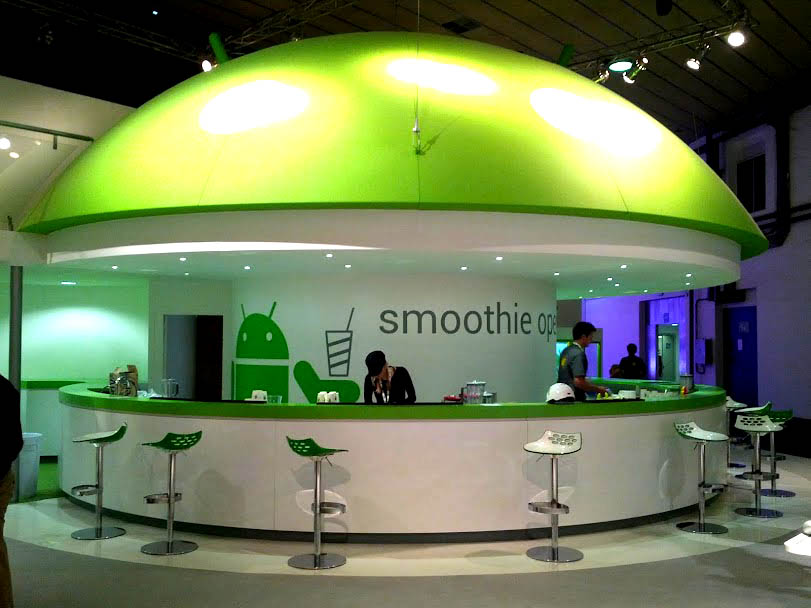
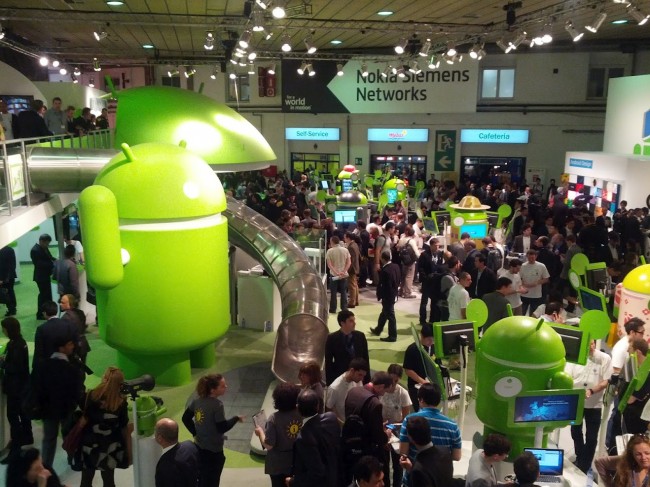
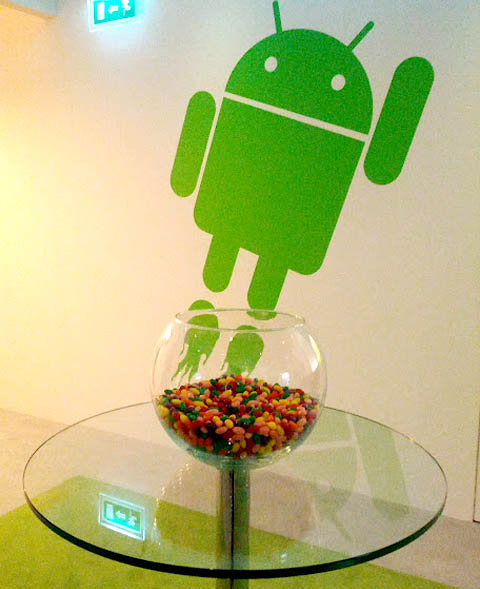
Although Android 4.0 Ice Cream Sandwich hasn’t even been deployed on all compatiblehandsets yet, the Android 5.0 Jellybean rumors and speculations seemed to immediately start churning out of the rumour mill. It seems that Google itself is now taking part, as The Verge reports that Google has stuffed a giant bowl of Jellybeans in the middle of their massive Android booth at Mobile World Conference 2012.


I highly doubt this is coincidence or some tongue-in-cheek statement. It seems that Google is giving us a little wink, foreshadowing the next Android OS iteration. 


The new version of Android, Jelly Bean will be arriving in June 2012. If this is accurate then Google is planning to give a tough competition to Microsoft by releasing the operating system at the same time as the Windows Phone 8 platform.


There are not much details about the Android 5.0 but this will be the major release and will add more useful features to the tablets. The current version, ICS was launched at the end of the last year but only few handsets have the Android 4.0. The manufacturers are typing too hard to throw the ICS to their devices.


Already we know that the Jelly Bean update will focus on the computers and netbooks from the smartphones and tablets. Also it is rumored to have the dual boot facility that can make it compete with the Windows Phone 8 operating system. 


This has been displayed at the MWC 2012 happening at Barcelona, Spain.


Source : The Verge


*by andreascy*

How Google Built Android


Description : 

While Google will always be known primarily for their search engine and advertising platforms, the Android operating system has been a tremendous success. While multiple phones available from all cell phone companies, the Android platform has a larger user base than any other smart phone platform. How did they build Android?

Android is based on the Linux kernel. In addition, Google implements many of the tools used by Linux. As a result, those with a background in Unix and Unix-like operating systems feel at home when dealing with the internals of the operating system. In addition, Linux is open source, so the source code of Android will always be available to the public and to developers. 

Google also decided to create its own bytecode for Android. Using the Java language and Java bytecode, Google allows developers to use the most popular programming language in the world for creating Android apps. The use of Java makes Google an easy platform for companies to target. 


Google Behind The Numbers


*by andreascy* 

Google Chrome for Android Phones and Tablets (Beta)

Description :

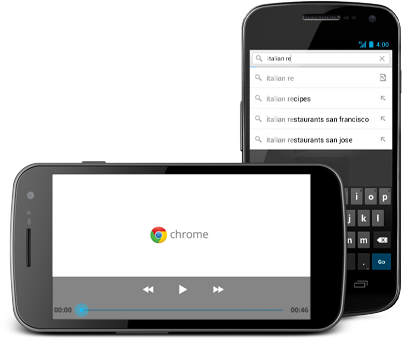
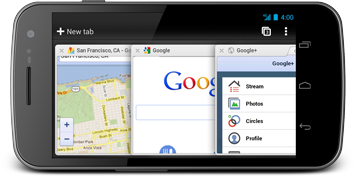
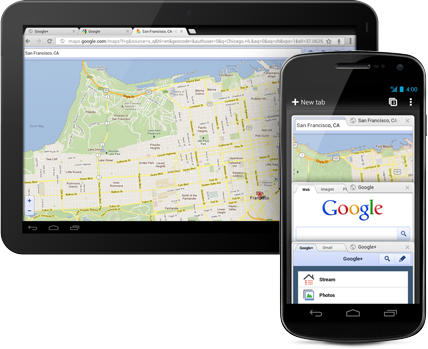
The speed and simplicity of Chrome, now on Android. Chrome for Android Beta is available for phones and tablets running Android 4.0 and higher.

Screenshots : 


Introduction to Chrome :


Chrome Basics :


Learn about it and download it on : http://google.com/chrome/android


Behind the design :

The engineering team behind Chrome for Android Beta shares the design philosophy and approach to bringing the speed and simplicity of Chrome to Android phones and tablets.


*by andreascy*

Google plans Nexus tablet to take on Apple iPad

Description :

Google will release a flagship Android tablet in the next six months to challenge Apple’s iPad, it's chairman Eric Schmidt has revealed.


In an echo of the firm’s smartphone strategy, whereby its own Nexus range forms the vanguard of the Android attack on the iPhone, Mr Schmidt said Google is developing a tablet.
“In the next six months we plan to market a tablet of the highest quality,” he told an Italian newspaper. 
Google has already had a hand in the development of the Motorola Xoom, but like other Android tablets, it suffered disappointing sales in a market dominated by the iPad. 
Since then, however, Google has itself become a major hardware manufacturer via its $12.5bn acquisition Motorola’s devices division, which is currently under consideration by competition authorities. The deal would give it much more control over Android tablet development. 
Amazon’s Kindle Fire, based on Android, has presented the strongest challenge to Apple so far, mostly based on its relatively low price, but it has faced criticism over the usability of its software. 


Mr Schmidt paid tribute to Steve Jobs' role in kickstarting the tablet market, describing the iPad as "amazing". 
"Steve Jobs was the Michelangelo of our time," he said. "A friend of mine and a unique character, able to combine creativity and visionary genius with an extraordinary engineering ability." 
"Steve realised the revolutionary potential of the tablet and created an amazing product like the iPad," he said.


In the smartphone market, Google designs the Nexus range as both a testing ground for new versions of Android and to show off cutting-edge hardware. The most recent device, the Galaxy Nexus, is manufactured by Samsung. 
Mr Schmidt said that competition between Android smartphones and the iPhone will be “brutal” 

Read more on : 


*by andreascy* 

Wikipedia Application : Now is available for Android

Description :

Initially, it was only iPhones that could support Wikipedia, but now Android will also help Wikipedia.

The new revolution :

This modern world is a new revolution for android gadgets. The Wikipedia is free to download through android. The android market is providing access to this database for more than twenty million writings and articles in 280 and more languages. It can run on all the devices running the android 2.2 Froyo or up. You can save the articles for referring then offline. They can also share the articles. Articles in different languages can also be viewed.


Wikipedia blackout :

This facility of android gadget led viewers to use Wikipedia during the entire black out on his Wednesday, 18 Jan 2012, that lasted for, 24 hours. Wikipedia was blackout to protest for SOPA, Stop Online Piracy Act and PIPA, Protest IP Act. On the next day, 4.4 out of 5 stars was the average rating, so mainly it was a positive review, but complaints also followed with this good news, the GPS function was being used resulting in the drain of battery. The English version of the Wikipedia was black throughout the day, which filliped the traffic.

*by andreascy*

Swumanoid Swimming Android Robot From Tokyo Tech Will Help Athletes Swim Faster

Description :

DigInfoTV presented Swumanoid, a humanoid robot developed by the Nakashima Group at the Tokyo Institute of Technology, that replicates the motion of a swimmer. In the future, this robot is expected to help researchers analyze how people can swim faster, and develop speed enhancing swimming apparel.

Swumanoid Swimming Android Robot From Tokyo Tech Will Help Athletes Swim Faster

"In research on swimming, one problem is, it's hard to know how much propulsive force the hands create during a stroke. There have been attempts to measure such things using actual swimmers, but it's hard to attach sensors to the hands of an actual swimmer. Also, a person can't repeat exactly the same movement many times."

Swumanoid Swimming Android Robot From Tokyo Tech Will Help Athletes Swim Faster

For Swumanoid, a 3D body scanner was used to measure the body of a competitive swimmer, and reproduce it at half-scale. The complex swimming motions of a person are reproduced using 20 computer-controlled waterproof motors.

Swumanoid Swimming Android Robot From Tokyo Tech Will Help Athletes Swim Faster

"When a swimmer moves, the motion of the shoulders is quite large. Ordinary humanoid robots aren't designed for such large motions, so to replicate the big movements in a crawl stroke, we've installed special joints in the shoulders of Swumanoid."

Swumanoid Swimming Android Robot From Tokyo Tech Will Help Athletes Swim Faster

The robot overall has a special-purpose drive using four struts, and the force the robot receives from the water can be measured. Because the robot is currently at the prototype stage, its swimming speed, corrected for size, is 0.64 m/s or approximately three times slower than the current world record for the 100m freestyle. From now on, the researchers are planning improvements to make it faster.

Swumanoid Swimming Android Robot From Tokyo Tech Will Help Athletes Swim Faster

"Swumanoid can already do the butterfly and backstroke. The breaststroke involves a different leg motion, so it can't be done with the robot's current legs. But we are developing legs to enable Swumanoid to do the breaststroke."

Swumanoid Swimming Android Robot From Tokyo Tech Will Help Athletes Swim Faster

"Currently, the robot doesn't always swim as it's instructed. So we'd like to enable it to swim freely. Humanoid robots can already walk and run, but if we have a robot that truly swims, it could be used not just for sports research, but also for rescuing people in the water."


Check also some other robot-related posts.

Subscribe to our Newsletter for news you won't find anywhere else✉  ⇢ 📰

*by andreascy*

Free Webinar: AndroPod - Bridging Android And Your Electronics Projects

Description :

Add a Powerfull Hi-Res Wireless Android Device to Your Own Projects

Elektor Academy and element14 have teamed up to bring you a series of exclusive webinars covering blockbuster projects from recent editions of Elektor magazine. 

Participation in these webinars is completely free! All you need to do is register via the link below. The upcoming webinar will address connecting an Android device to your own electronics project.

Free Webinar: AndroPod - Bridging Android And Your Electronics Projects

With their high-resolution touchscreens, ample computing power, WLAN support and telephone functions, Android smartphones and tablets are ideal for use as control centres in your own projects. However, up to now it has been rather difficult to connect them to external circuitry. 

Elektor’s AndroPod interface board, which adds a serial TTL port and an RS-485 port to the picture, changes this situation. In this webinar Bernhard Wörndl-Aichriedler shows how easy it is to connect your own circuitry to an Android smartphone using the AndroPod interface.

Webinar Details

Date : Thursday June 21, 2012

Time: 15:00 GMT (16:00 CET)

Presenter: Bernhard Wörndl-Aichriedler (Codesigner of the Andropod Interface)

Language: English

Register for this webinar now! Places are limited, so book soon to make sure you don’t miss out!


Talk to you soon. 


*by andreascy*


Tightening Android Security Against Data Stealing Applications

Description :

It’s common knowledge that Android devices aren’t foolproof when it comes to malware and viruses, but for the most part these threats are hiding in the back alleys of the operating system. You’re most likely to run into them when you start downloading apps from sketchy third-party app stores, or side-loading pirated APKs. 

Tightening Android Security Against Data Stealing Applications

But here’s something scary. There is a family of apps containing malware just relaxing in Play Store, and they have multiplied at a decent pace during the last few years or so. 

Last year, DCCI (Data Center of China Internet) released an investigation against various Android markets and found that 66.9 percent applications were tracking private data, and 34.5 percent of them were engaged in cross-border tracking; tracking information that has no relevancy to the app’s main permissions and not informing users about what is happening. 

So what kind of data are these apps tracking from your android device? In short, everything -- from your phone book contacts and text message history to your account credentials. The fact that such apps are looking at your data even when it has nothing to do with the features provided should be a major concern. 

Even more worrying is that the apps responsible may be different than the ones that you expect to breach your privacy. The report, for example, reveals that beauty and study apps are among the worst privacy offenders in case of location tracking, while travel apps top the list when it comes to swiping user contact information. 

And this was just once instance where many applications were unethically crossing the line. A recent report cited by ComputerWeekly reveals that 79 percent of the clones released for the famous Flappy Bird game contained some form of malware. 

These clones were doing more than just tracking user privacy; hackers used them to make phone calls without the consent of the user, extract list of contacts, install more applications and establish root gateway for control over everything on the device. Data-breaching criminals are finding success by manipulating the familiar features in mobile games and apps that users trust and recognize. 

Taking Measures to Protect Your Personal Identity 

So, what can you do keep these app-stealing threats at bay? Before installing apps on your device, follow these best practices to ensure your personal information is not being compromised:

Utilize advanced internet security solutions: Advanced internet security solutions feature support for android and iOS devices. According to Trend Micro, some advanced solutions not only provide internet security virus warnings, they protect your android phone by identifying apps that steal your personal data. Further, they back up and store your information for retrieval in case a hacker is able to gain access to your device and wipe your data.

Review permissions: The next time you install an application on your device, take out a few minutes to read the app permissions for making sure your personal information is not shared with third parties. This kind of information is usually buried in the last few sentences. 

Use official download channels: even though the Google Play consists of data-stealing applications, whatever you download through the official route would be much less harmful due to official policy procedures than downloading apps through third-party app stores and unofficial channels.

RECOMMENDED: Are You Underestimating the Importance of Data Security? 

Thank you to every fan out there for watching! Blessed, humbled and inspired. Please subscribe below to stay connected. We have a better way. 😉💛

*by andreascy*

Microsoft : OneNote for Android

Description :

Microsoft has released a new Android version of its now-cross-platform note-taking program. OneNote is normally part of the Microsoft Office suite for Windows. Microsoft has made apps over time for Windows Phone, iPhone and recently for iPad.
OneNote for Android is a free download from the Android Marketplace. It can sync your notes across all the OneNote apps, including the OneNote web app that is part of Windows Live SkyDrive service. It has support for checklists, bullet points and more.


What's missing is the support for handwritten notes and voice recorded notes. Inked notes from your computer won't show up on the Android app either.
OneNote for Android has the same "freemium" pricing scheme (which I don't like) as with the iOS apps. It is free for your first 500 notes (synced or created) and then you need to pay $4.99 to continue creating or editing notes. Without paying, you can still view, sync and delete your notes.
OneNote is available on the Android Market in more than 50 countries.

*by andreascy*

Androidland - Telstra launches World's - first Android store in Melbourne

Description :

If you’re an Android fan and happen to be local to the Australian city of Melbourne then you’ll be pleased to know that the world’s first dedicated Android store has opened, and it’s called Androidland.


Androidland is the brainchild of Australian operator Telstra and operates as a store within a store, delivering smartphones and tablets that run Google’s Android operating system, all in one place.


Inside the store, Telstra provides customers with a dedicated interactive spaceship zone that features a flight simulator via the search giant’s Google Earth software, also including an massive screen on which visitors can play Angry Birds and a dedicated area to ‘Androidify’ themselves.


Customers are also invited to sit under the pixel tree and play with the Android devices on display at the store, which includes handsets and tablets from Samsung, HTC, Sony Ericsson, Motorola and LG.


Google Australia has played an important part in opening the new store, helping to train the store’s Android experts to assist visitors with devices, help them set up their new handsets and tablets and recommend applications. The store opens at the perfect time to lure in Christmas shoppers and help boost the profile of the Android platform in the city.


*by andreascy*

Bluestack’s Android App Player coming To Windows 8 Metro UI

Description :

Windows 8 Beta (Consumer Preview) is coming in February, and now I'm finally starting to get excited. So what has changed to really have me 'feeling it'? 

Bluestack’s Android App Player coming To Windows 8 Metro UI

Certainly not Microsoft's CES event or even Intel's, although many of the upcoming Ultrabooks do look rather interesting. So what's with the excitement? Time and time again I've talked about how I really won't be able to judge how I feel about Metro until I have several apps to play with that actually makes me want to use the new interface.

As you might already know, the Consumer Preview is on schedule for February and the Marketplace is expected to go live around the same time-frame. Still, you have to wonder, how many apps will actually exist this early on? Certainly less than a hundred, I would wager.
Of course, if Microsoft is really ambitious they might have decided to mass-convert many popular Windows Phone apps in order to create at least 100-250 app library so that testers can really get a true look at what Metro is all about.

Even so, odds are that many of my favorite apps that I use regularly on my Android phone probably won't get a Metro version until Windows 8 goes commercial, at the earliest. Thankfully, this isn't going to be a problem. I wanted to have thousands of useful apps in Metro that really will let me get a true impression of Metro when the Beta surfaces (as of right now my Pre-Beta impressions have been mixed), and the folks at BlueStacks have responded with a solution to my problem. This announcement is why I'm excited.

For those who don't know, BlueStacks already created an “Android App Player” for the desktop environment that works in Windows 7, and presumably will also work in Windows 8 desktop mode. Still, what good is a touch-app in desktop UI? Not much, and BlueStacks apparently didn't think so either.

A new version is coming sometime in February (to coincide with Windows 8 Consumer Preview) that fully supports Metro and installs these Android apps as live tiles. This is pretty impressive, and a really great way to get everything we want on Windows 8, now. So what does this mean? It means that shortly after the launch of the Beta we will have access to many thousands of apps, thanks to this compatibility layer.

Will all apps work flawlessly? 

I can't expect perfection, no, but if this newest version is anything like the current desktop-centric version, it will be highly functional. This is excellent news and at the very least means that we will get to use our favorite apps until Metro-native versions arrive later in 2012 and beyond.

What do you think about the announcement of the Android App Player? Do you think it will work flawlessly or will it be too buggy to make it worthwhile? Should we be excited about this announcement or not? Share your thoughts below.

*by andreascy*


Dream Chip Technologies (Xbounds) Brings Wireless Mirroring Connection Between TV and Android


Description :

One feature in Apple's iOS 5 that has yet to be brought to Android is the ability to wirelessly mirror the content being displayed on your iPhone or iPad on your Apple TV-connected display.  


A video posted on the Droidcon site shows similar functionality being brought to Android devices by way of Dream Chip Technologies' prototype Xbounds (pronounced "cross bounds") device, a small Wi-Fi dongle that connects to your display via HDMI.


While Android devices have supported media streaming via DLNA for some time, the Xbounds brings true wireless display mirroring to the platform. The video below shows Bernd Steinke, a System Architect with Dream Chip, mirroring the display of an Android phone as he works on a Word document, plays Angry Birds, watches Pirates of the Carribean and messes around with the command line. The device appears to support independent resolutions using some very clean-looking vector-scaling technology as well as low-power data transfer over both WLAN and Bluetooth. 


According to a tweet by Al Sutton, a UK-based Android developer, the Xbounds dev kit (including a Nexus S) will retail for €998 (about $1,344), while the consumer kit will come to market at €99 (about $134).


Read more on SlashGear, The Verge

If you like our News then you will love some of the latests including trending tweets. Don't miss also our Newspaper and Magazine  published daily with curated topics and much more. We also recommend a collection of movies for your empty hours. Feel free to send us your suggestions. :)

*by andreascy*


ASUS Computex 2012 - Endless Possibilities : Does one plus one always equal two?

Description :

With a few days to go until Computex 2012 kicks off, Asus has decided to put up a few short teaser videos that include various hints at certain features that upcoming Asus devices could offer. 


But more importantly, some of these videos suggest that the Android device maker may announce a dual-booting Android - Windows 8 Device next week. 


Speculations of course have run wild! Another speculation has been that this could be a new all-in-one Computer from Asus that would run on both operating systems.


The first video below is entitled “The Incredible Transformations” and teases a tablet that will come with a keyboard, will pack certain cloud-related powers and that will be unveiled in Taiwan. That “Transformation” part of the title suggests that we could be looking at the next-gen Transformer model teased in the video.


By itself, the 43-second teaser video is not that exciting, since we already knew Asus can produce some interesting Android tablets. But Asus released two more teaser videos, shorter than the first one, to make sure tablet fans are paying attention.


The second teaser, entitled “All-in-One is No Longer In One” is a 16-second spot that clearly shows two distinct logos in water drops – see the images above. We’re looking at the Windows 8 and Android logos, each one present in its own drop of water. That clearly suggests that at least one of Asus future tablets will be able to run Android and Windows 8, a combination that plenty of tablet users would enjoy.


The third teaser, called “When Two Sides Unite”, a 17-second clip, also indicates that an upcoming Asus tablet will pack two “sides” that will be available on the same device. We’re obviously looking at Android and Windows 8, as no other mobile OS combination would make sense. The words “Tai” and “Chi” are present on either side of that piece of paper. Together, “Tai Chi” stands for an Asian martial arts style.


Whatever the case we are now hooked and we want to see what Asus is cooking.


Enjoy the videos!


More on :


*by andreascy*

🦾 Stay Motivated

👩🏻‍🚀 Artemis II Crew: From Friends to Family

▶️ Just Press Play

We all have days like this

[image or embed]

— Chris Paxton (@cpaxton.bsky.social) April 17, 2026 at 1:51 PM

⭐ Leading ShipYard's Leaderboard

🚩 Milestone Unlocked!

🏅 Win-Win